
Android · Test version
How to get Promenado on Android
Three steps, about three minutes. Keep to the order: first the test group, then «Become a tester», then install.
You need a Google account. Use the same account you use in the Play Store on your phone.
Join the test group
Tap the button and then «Join group». If you see «You don’t have permission», that’s normal: tap «Sign in» at the top right and sign in with your Google account. Then «Join group» appears.
To the test group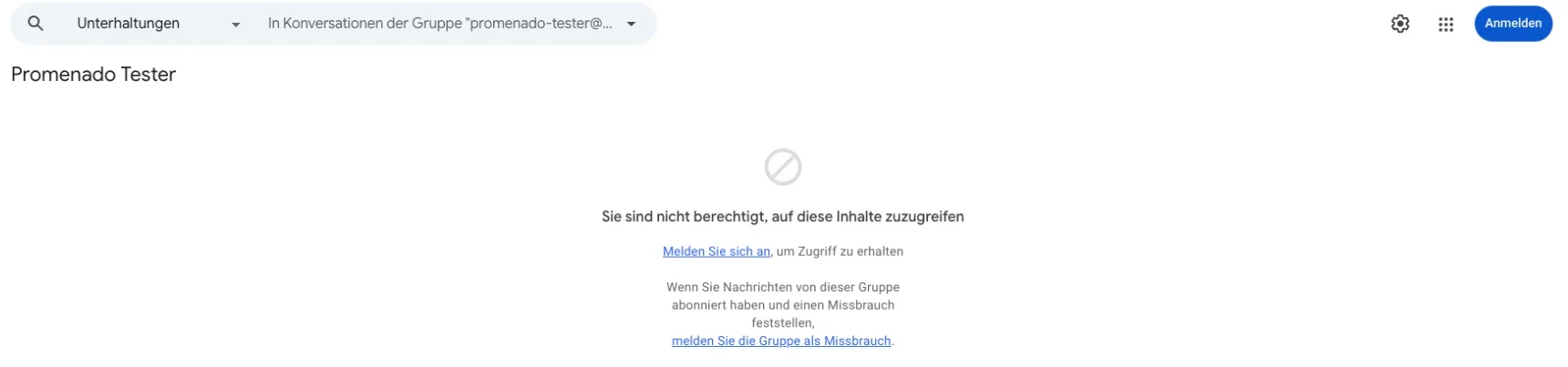
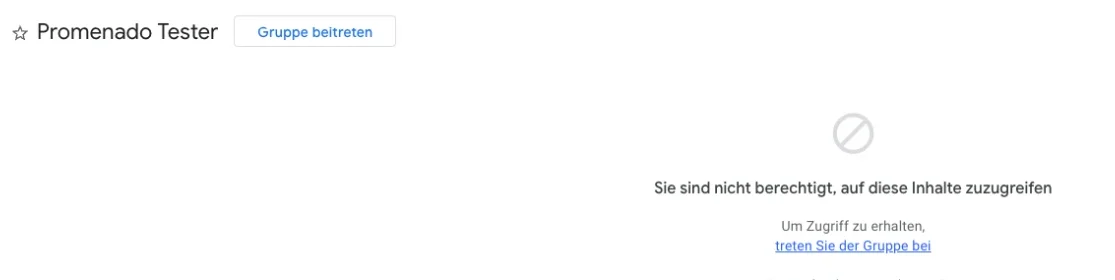
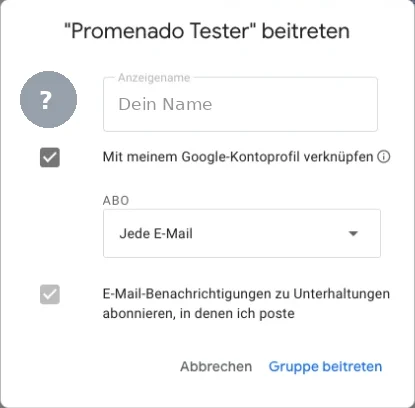

Become a tester
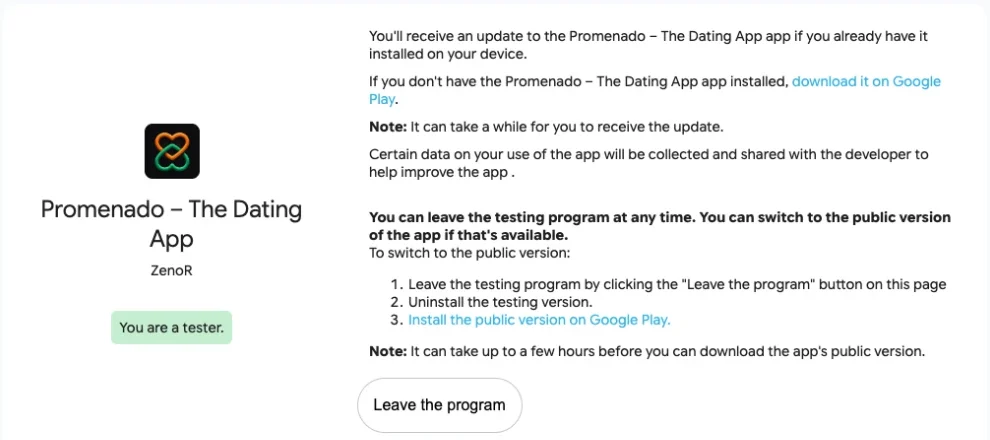
Open this link and tap «Become a tester». Then it says «You are a tester.»
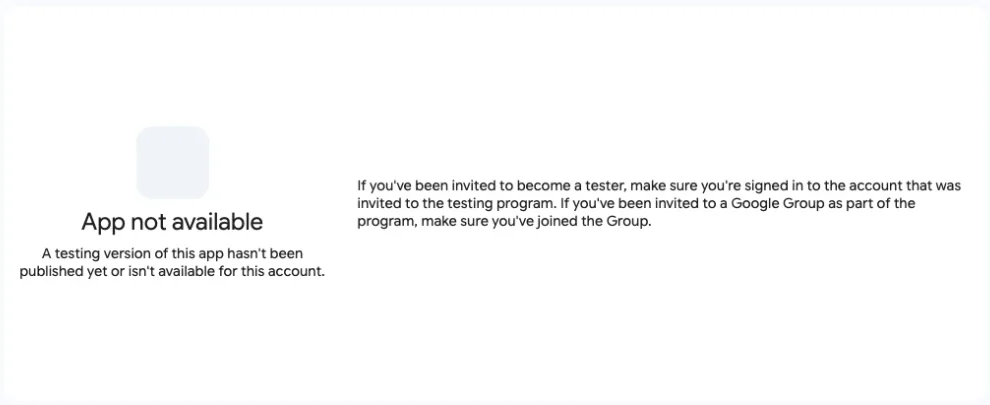
If it says «App not available», wait 5 to 15 minutes and reload the page. Google needs a little time before your group membership arrives.
Become a tester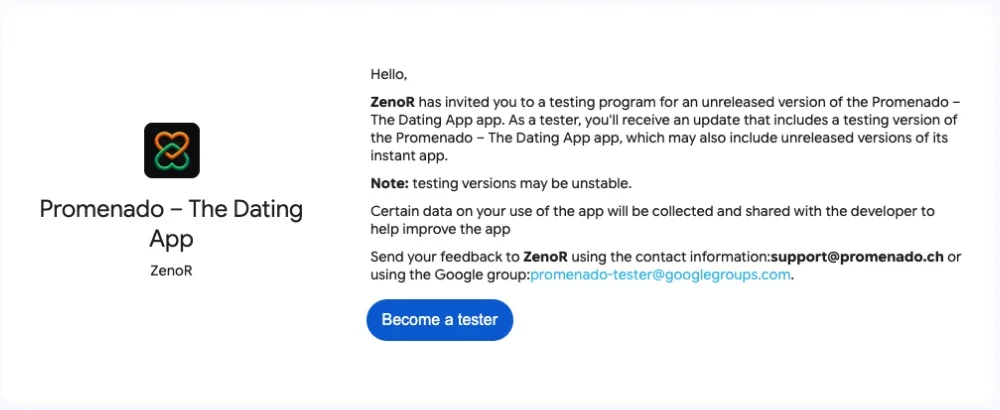
Install the app
Tap «download it on Google Play» on the test page or the button directly. Then «Install». Done. Open Promenado and create your account.
Open in the Play StorePlease keep the app installed for at least two weeks.
That helps us a lot with Google. Thank you!
Not working?
«You don’t have permission»
Sign in at the top right with your Play Store account.
«App not available»
Finish step 1 first, then wait 5 to 15 minutes and reload the page.
Several Google accounts
Sign in with the account that is also used in your phone’s Play Store. You can switch via the profile picture at the top right.
App not visible in the Play Store
The test version is currently available in Switzerland and Liechtenstein.
Write to us at support@promenado.ch. We’re happy to help.